Expressive robot companion
Build your own expressive robot
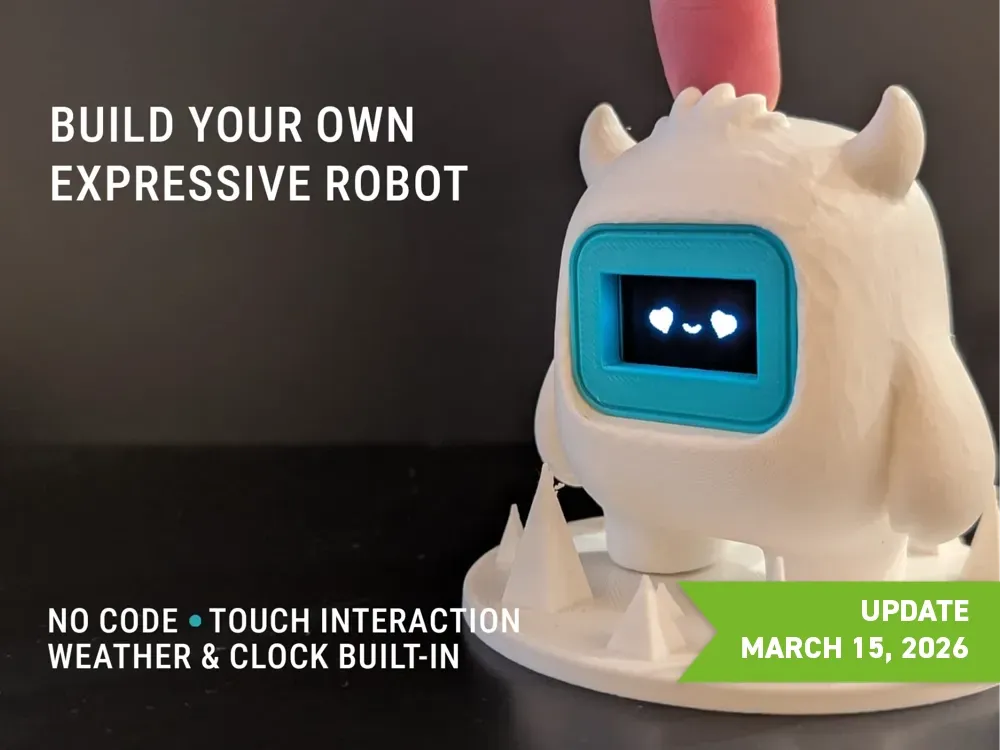
Desk Companion is an interactive desk companion built around an OLED face, touch input and an ESP32-C3 brain. It reacts with expressive animations, supports quick firmware flashing from the browser, and packs useful modes like offline mode, emotional mode, vibration feedback, time presets and a small built-in game.
Quick install
Flash the Desk Companion directly from your browser
Use Chrome or Edge, plug the ESP32-C3 over USB, then install in one click.
Current Firmware
V0.4
2205TLT
Browser Support
Chrome / Edge
Build
Essential Components affiliate aliexpress links
The main parts you need to assemble the Desk Companion and get it running quickly.
MakerWorld
Full project
Compagnon 309 / Desk Companion
Open the MakerWorld page to see the project, build details and the public reference page.
Desk Companion video overview
Watch the project in action, then continue with the build, install and MakerWorld pages.
Emotions
Desk Companion Expressions
Features
What the Desk Companion Can Do
- Expressive OLED face system with moods and reactions
- Direct browser-based firmware installer for ESP32-C3
- Offline mode with improved Wi-Fi reconnection flow
- Emotional mode for a more expressive interaction profile
- Vibration mode for tactile feedback
- Info panel with a small Dino Jump-style game
- Simplified time presets with built-in time zones
- Ongoing firmware translations and improvements
Flash
Install the Firmware
Plug the Desk Companion in over USB, open the page in Chrome or Edge, then install the firmware directly from your browser.
- The page must be served over HTTPS or localhost.
- Use a real data cable, not a charge-only cable.
- The microcontroller must appear as a serial device.
Desk Companion Activity
Roughly 2 updates per month
Assembly
Assembly Diagram
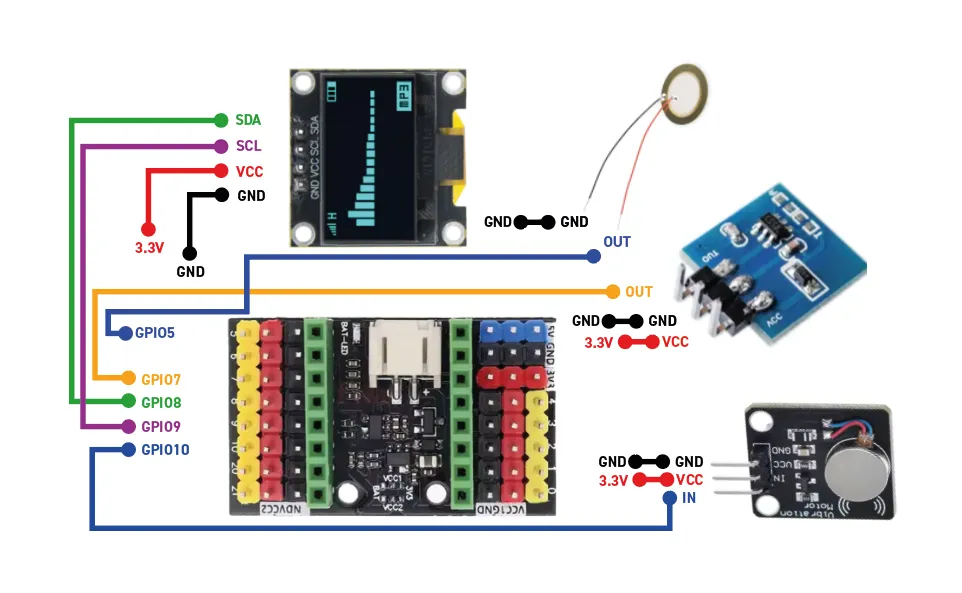 Assembly Guide
Changelog
Latest Project Updates
21/03/26
Premium STA visual refresh
Refined the STA interface with a more premium visual style inspired by leroyd.com, with a clearer split between dashboard and settings.
21/03/26
Dynamic companion name and OLED selector
The STA name now follows the chosen URL, and the config flow now includes OLED type selection for both 0.96-inch and 1.3-inch I2C displays.
21/03/26
AP configuration page redesign
Reworked the Wi-Fi configuration page to better match the main Desk Companion theme and create a more coherent setup experience.
27/12/25
Time presets and time zones
Added UTC+8 and UTC+5:30 to simplify setup.
20/12/25
Firmware v0.2 - 2012EN
Added an almost complete translation of the connection page.
17/12/25
Game and fixes
Added a Dino Jump-style mini-game plus time, memory and Wi-Fi reconnection fixes.
16/12/25
Offline mode and firmware version
Added firmware version and offline mode sections with a UTC+7 preset.